Make a long episode searchable
Turn a long interview into text you can scan, search and revisit. Find the relevant passage, read its surrounding context and check important details against the episode before quoting.
Start transcribingPaste a YouTube, Spotify or Apple Podcasts link. Read, search and export the words from your episode in one place.
Public episode links only. Timed subtitle downloads are available when the transcript includes usable timings.
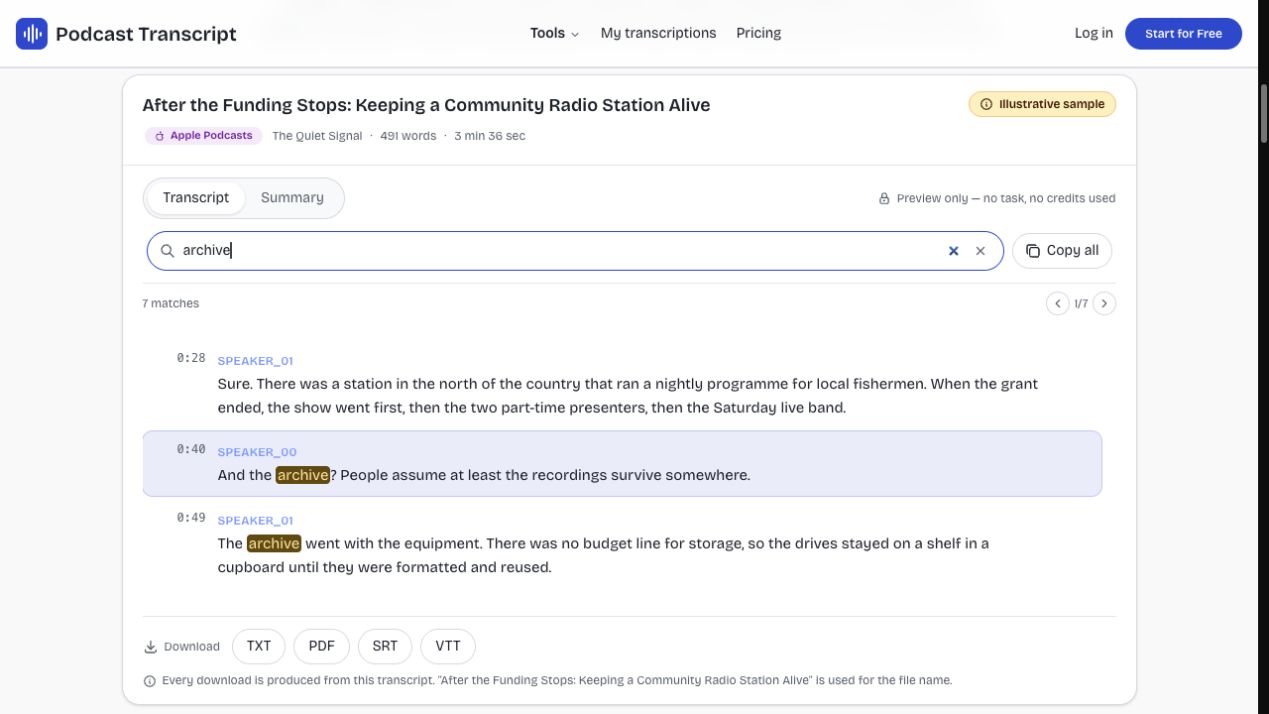
Explore an illustrative transcript with speaker labels, timed passages and a separate summary. Search, copy and download the sample before starting your own episode task.
Apple PodcastsThe Quiet Signal491 words3 min 36 sec
After the Funding Stops: Keeping a Community Radio Station Alive
A single Spotify, Apple Podcasts or YouTube episode. Show pages are rejected on purpose, because we will not spend your credits guessing which episode you meant.
Spotify and Apple episodes are matched through the show’s public RSS feed. YouTube links read the caption track that already exists on the video.
Search, copy and export the text. TXT and PDF always work; SRT and VTT work whenever the transcript carries real word timings.
Turn a long interview into text you can scan, search and revisit. Find the relevant passage, read its surrounding context and check important details against the episode before quoting.
Start transcribing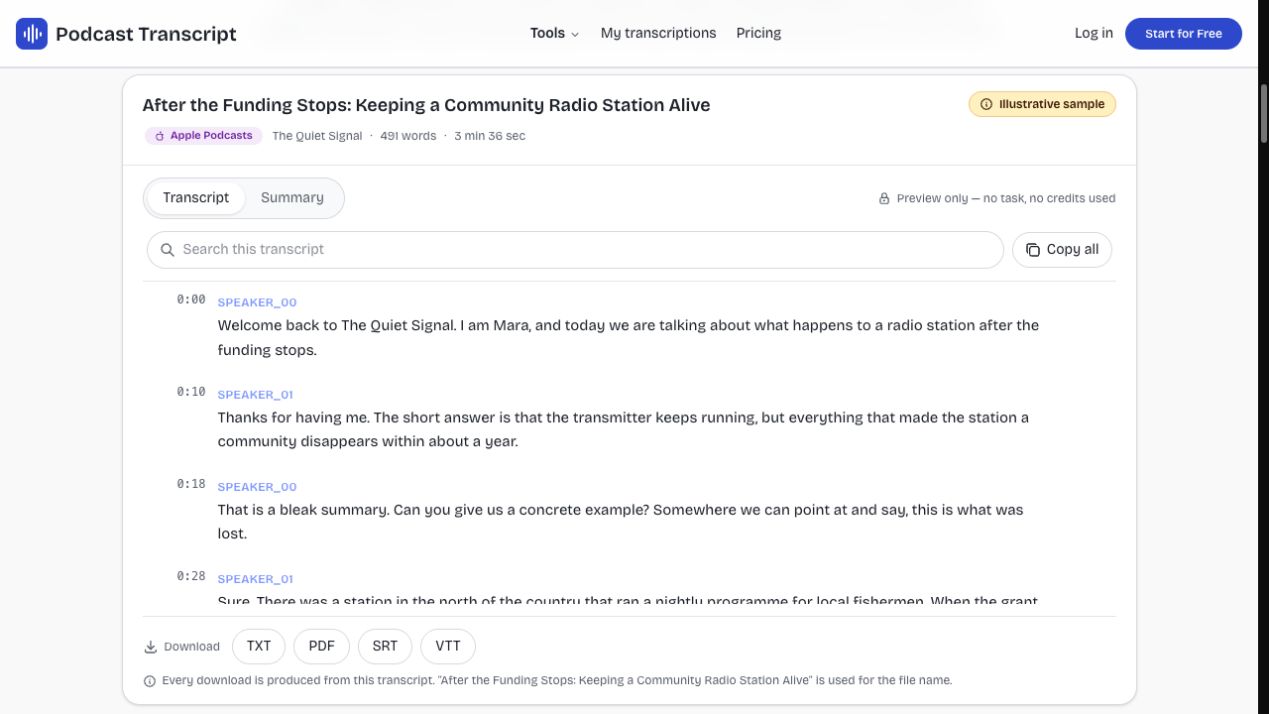
Collect passages for show notes, a blog draft or a newsletter from one searchable transcript. An optional summary gives you a starting point; review and edit the words before publishing.
Start transcribingSave the finished transcript as TXT for notes or PDF for reading. SRT and VTT support caption workflows when the source contains usable timings; missing cues are not replaced with invented timestamps.
Start transcribingTake the part you need from an episode and put it to work, with the original transcript always available beside the summary.
Find a name, phrase or idea without replaying the whole episode. Read nearby words before quoting, and use timestamps when the source includes timing data.
Save TXT or PDF for your notes and research. Export SRT or VTT when timings exist, and keep a local copy beyond your account retention period.
Skim an optional AI summary to find the ideas worth exploring. Return to the transcript for exact wording, and check important quotes against the original episode.
Students & researchers
Locate a topic across a long interview, copy the relevant passage and save the transcript with your research. Keep the episode link alongside it so you can check the source before citing a speaker.
Writers & creators
Collect useful passages for an article, newsletter or episode recap. Skim the summary for direction, then check the wording in the transcript. Edit and verify your draft before publishing rather than treating automated text as finished copy.
Curious listeners
Look up an idea you heard during a commute without starting the episode again. Search the transcript, read the nearby discussion and download the text for later. You can try the sample before creating an account.
Listening is still best for tone and delivery. A transcript helps when you need to find, read or reuse the words. Here is where each approach fits.
| Listen & take notes | Read in the platform app | Use Podcast Transcript | |
|---|---|---|---|
| Find a particular passage | Replay and take your own notes | Depends on the episode and app | Search the available transcript |
| Keep a readable file | Write and format it yourself | Export options vary by platform | Download TXT or PDF |
| Create timed captions | Type and time each cue manually | Depends on available caption tools | SRT or VTT when timings exist |
| Check the original source | Hear the speaker directly | Listen or watch in the source app | Verify automated wording against the episode |
Podcast transcription turns spoken episode audio into readable words. A podcast transcriber helps you find a topic, collect quotations and save notes. This tool accepts public episode links; its separate YouTube path reads existing captions rather than transcribing video audio.
Podcast transcription creates a separate result you can search, copy and export. In-app captions help with listening, but their controls vary by platform. Here, TXT and PDF provide readable files; subtitle downloads depend on the result’s timing data.
Yes. Paste a public Spotify, Apple Podcasts or YouTube episode link into the same field. Spotify and Apple use accessible publisher audio; YouTube requires existing captions. Search and copy the result, with subtitle exports available when usable timing data exists.
Time varies with episode length and source availability. YouTube reads existing captions, while public podcast audio needs transcription. Watch the task status here or return to My transcriptions later.
TXT, PDF, SRT and VTT. TXT and PDF always contain the complete text. SRT and VTT need real word timings, so they are only offered when the transcript has them.
Only if its audio is publicly accessible. Private, subscriber-only and some exclusive episodes may not expose accessible audio. This tool does not bypass those restrictions; unresolved sources return a clear error.

Paste an episode link, search the completed transcript and save the words in the format your next task needs.
Start transcribing